Gaussian splatting is a novel technique for scene representation and 3D rendering. It uses a large number of "splats", tiny 3D Gaussian primitives, to create photorealistic views of real-world scenes.
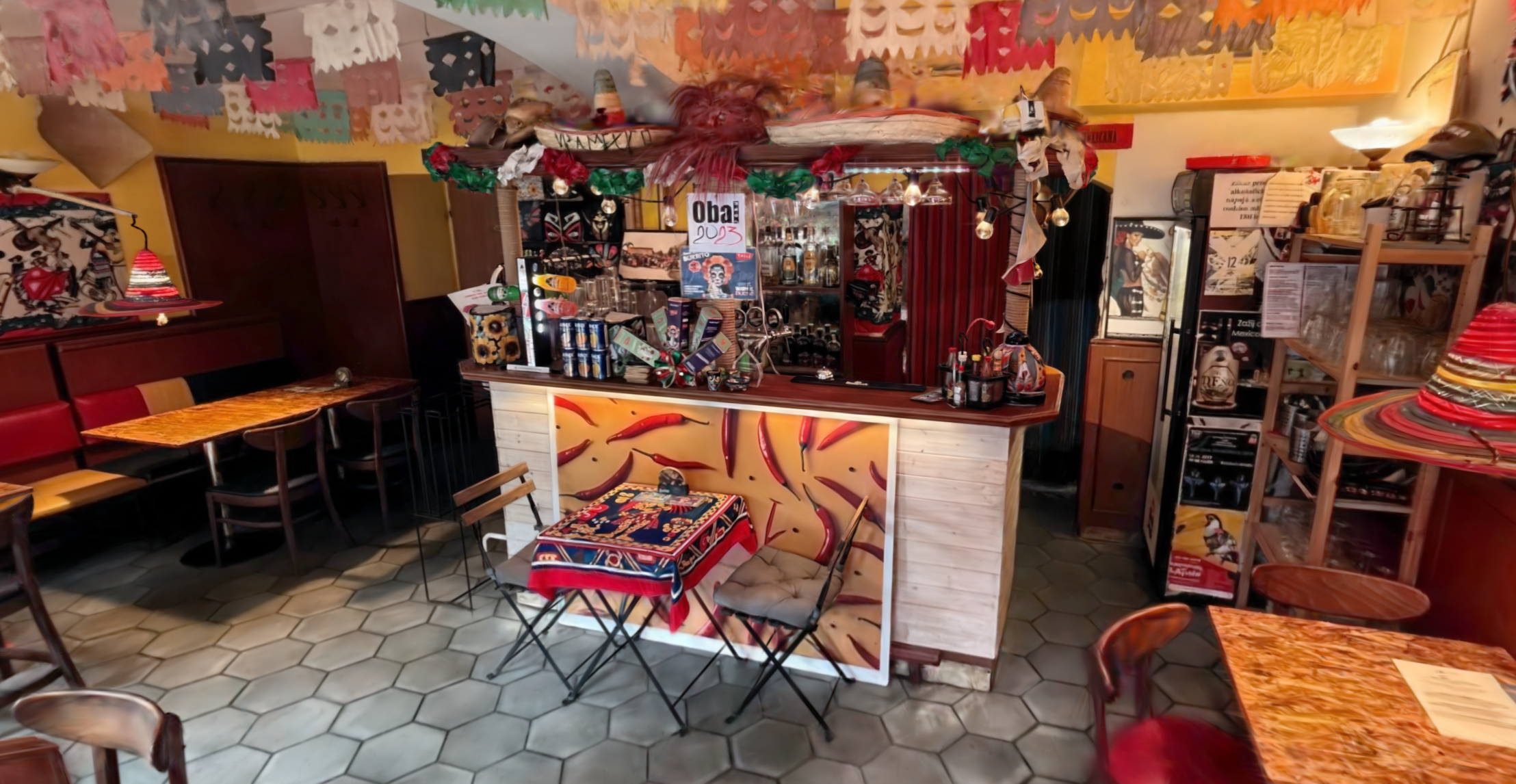
LuciadCPillar consumes Gaussian splatting data as OGC 3D Tiles with glTF payloads using the
Ogc3DTilesModelDecoderOgc3DTilesModelDecoderOgc3DTilesModelDecoder.
See the method documentation of Ogc3DTilesModelDecoder::decodeOgc3DTilesModelDecoder::decodeOgc3DTilesModelDecoder::decode
for the supported formats.
Decoding and visualizing the data
Because Gaussian splatting data is consumed as OGC 3D Tiles, you visualize it the same way as any other OGC 3D Tiles data set:
-
Decode the data into an
ITileSet3DModelITileSet3DModelITileSet3DModelusing theOgc3DTilesModelDecoderOgc3DTilesModelDecoderOgc3DTilesModelDecoder. -
Use a
TileSet3DLayerTileSet3DLayerTileSet3DLayerto visualize the model.
See Visualize OGC 3D Tiles data for the decoding and layer creation code.
To customize how the splats look, attach a GaussianSplatsStyleGaussianSplatsStyleGaussianSplatsStyle to the
layer with TileSet3DLayer::Builder::gaussianSplatsStyleTileSet3DLayer::Builder::gaussianSplatsStyleTileSet3DLayer::Builder::gaussianSplatsStyle
or TileSet3DLayer::setGaussianSplatsStyleTileSet3DLayer::setGaussianSplatsStyleTileSet3DLayer::setGaussianSplatsStyle.
Tuning visual quality and performance
GaussianSplatsStyleGaussianSplatsStyleGaussianSplatsStyle offers settings to control the trade-off between visual quality and rendering performance.
For example, you can enable higher-precision rendering, control how splats interact with depth and occlusion,
or reduce the rendering resolution to improve frame rates on low-end devices. See the
GaussianSplatsStyleGaussianSplatsStyleGaussianSplatsStyle API documentation for a full overview of the
available options.
auto style = GaussianSplatsStyle::newBuilder()
                 .enableDepth(true)          // available for navigation, measurements and occlusion
                 .highPrecisionColors(true)  // higher-precision color rendering, less noise
                 .resolutionScale(0.75)      // render at a lower internal resolution and upscale
                 .opacityCutoff(0.02)        // reduces splat size by removing parts of the splat where the opacity is less than the opacityCutoff
                 .build();

// Note: these are just example values. Read the sections below on what the optimal settings are for you.
var style = GaussianSplatsStyle.NewBuilder()
.EnableDepth(true) // available for navigation, measurements and occlusion
.HighPrecisionColors(true) // higher-precision color rendering, less noise
.ResolutionScale(0.75) // render at a lower internal resolution and upscale
.OpacityCutoff(0.02) // reduces splat size by removing parts of the splat where the opacity is less than the opacityCutoff
.Build();
// Note: these are just example values. Read the sections below on what the optimal settings are for you.GaussianSplatsStyle style = GaussianSplatsStyle.newBuilder()
.enableDepth(true) // available for navigation, measurements and occlusion
.highPrecisionColors(true) // higher-precision color rendering, less noise
.resolutionScale(0.75) // render at a lower internal resolution and upscale
.opacityCutoff(0.02) // reduces splat size by removing parts of the splat where the opacity is less than the opacityCutoff
.build();
// Note: these are just example values. Read the sections below on what the optimal settings are for you.Most likely, systems with high-end hardware can run heavy datasets at the highest quality settings. That means that you can:
-
Enable the
highPrecisionColorssetting for less noise in the image. -
Keep all other performance-related toggles set to the default.
If you run into performance issues on mid-range to low-end hardware, experiment with these settings in this order:
-
Disable
enableDepthif you don’t need it: generating depth for Gaussian splats can be quite intensive. Disabling it likely results in a big boost in frame rates, though it affects controllers that rely on depth for navigation and measurements. -
Disable
highPrecisionColors: disabling high-precision colors may introduce subtle noise to the image, but it can be a worthwhile trade-off to increase performance. -
Lower the
resolutionScale: because of the soft and blurry nature of Gaussian splats, lowering the internal resolution at which they’re rendered doesn’t necessarily mean the image becomes noticeably softer. With a resolution scale of 0.7, the GPU workload is significantly reduced, and yet in many instances, the image quality remains largely the same. -
Increase the
opacityCutoffby a few percent: typically, an increase by 0.01 or 0.02 is barely noticeable visually, but still results in a significant frame rate boost. At an increase of 0.05 to 0.1, the frame rate substantially improves, but the image quality starts to suffer, and gaps between the splats become visible.
Adjusting Gaussian splatting detail and amount of data loaded
LuciadCPillar uses the scale information present in the source data to determine what tiles and level-of-detail to load at any given moment.
Sometimes the scale information in datasets isn’t well-configured though, making it difficult to choose the right level.
You can adjust the amount of detail loaded using the quality factorquality factorquality factor setting on the TileSet3DLayerTileSet3DLayerTileSet3DLayer.
The default is 1.0. Increasing the value results in the loading of more data and detail. Decreasing the value reduces the amount of data.
These are our recommendations for use of the quality factor:
-
If you see low detail, or visible switches in level-of-detail when you are navigating, increase the
qualityFactor. -
If you experience bad performance, or even browser crashes due to memory overload, decrease the
qualityFactor.
Recommended settings
To give an idea of what typical values are for common use cases, we recommend the following quality and performance profiles.
| Quality level | Quality factor | Resolution scale | Opacity cutoff | High precision colors | Usage |
|---|---|---|---|---|---|
|
Low |
0.5 |
0.5 |
0.06 |
False |
Mobile devices |
|
Medium |
0.75 |
0.7 |
0.04 |
False |
High-end phones and tablets, low-end laptops |
|
High |
1.0 |
1.0 |
0.02 |
False |
Mid-range laptops with discrete GPUs |
|
Ultra |
1.0 |
1.0 |
0.00 |
True |
Laptops with gaming hardware |
auto style = GaussianSplatsStyle::newBuilder()
                 .highPrecisionColors(false)
                 .resolutionScale(0.7)
                 .opacityCutoff(0.04)
                 .build();
layer->setGaussianSplatsStyle(style);
layer->setQualityFactor(0.75);
var style = GaussianSplatsStyle.NewBuilder()
.HighPrecisionColors(false)
.ResolutionScale(0.7)
.OpacityCutoff(0.04)
.Build();
layer.GaussianSplatsStyle = style;
layer.QualityFactor = 0.75;var style = GaussianSplatsStyle.newBuilder()
.highPrecisionColors(false)
.resolutionScale(0.7)
.opacityCutoff(0.04)
.build();
layer.setGaussianSplatsStyle(style);
layer.setQualityFactor(0.75);Styling with expressions
GaussianSplatsStyleGaussianSplatsStyleGaussianSplatsStyle also supports expression-based styling through the
StyleExpressionFactoryStyleExpressionFactoryStyleExpressionFactory. Expressions let you dynamically control
properties such as splat color, size, visibility, and displacement. You can use parameter expressions to efficiently
update styling at runtime without replacing the full expression.
For more information about style expressions, see Style your 3D data using expressions.
using Expr = StyleExpressionFactory;

// A parameter lets you update the styling at runtime without rebuilding the whole expression.
auto scaleParameter = Observable<double>::create(1.0);

auto style = GaussianSplatsStyle::newBuilder().colorExpression(Expr::constant(Color{255, 200, 120})).scaleExpression(Expr::parameter(scaleParameter)).build();

// The change of the observable value is reflected in the style without rebuilding it.
scaleParameter->setValue(1.5);
// A parameter lets you update the styling at runtime without rebuilding the whole expression.
var scaleParameter = Observable<double>.Create(1.0);
var style = GaussianSplatsStyle.NewBuilder()
.ColorExpression(StyleExpressionFactory.Constant(Color.FromArgb(255, 255, 200, 120)))
.ScaleExpression(StyleExpressionFactory.Parameter(scaleParameter))
.Build();
// The change of the observable value is is reflected in the style without rebuilding it.
scaleParameter.Value = 1.5;// A parameter lets you update the styling at runtime without rebuilding the whole expression.
Observable<Double> scaleParameter = new Observable<>(1.0);
GaussianSplatsStyle style = GaussianSplatsStyle.newBuilder()
.colorExpression(StyleExpressionFactory.constant(Color.valueOf(Color.rgb(255, 200, 120))))
.scaleExpression(StyleExpressionFactory.parameter(scaleParameter))
.build();
// The change of the observable value is reflected in the style without rebuilding it.
scaleParameter.setValue(1.5);