This article describes how to deal with WebGPU device losses in LuciadRIA.
What is a WebGPU device loss?
LuciadRIA makes use of WebGPU, a JavaScript API for using the GPU in the underlying system to render 2D and 3D graphics in a web browser. A GPUDevice is a JavaScript object that represents a logical GPU Device. This is the main interface through which the majority of WebGPU functionality is accessed. It contains various resources, such as buffers, shader programs and textures. Sometimes, a GPUDevice becomes unavailable. This is called a device loss. When this happens, LuciadRIA can no longer display graphics.
Various reasons can cause a device loss. The system may be using too much memory, for example.
When does a WebGPU device loss occur?
A device loss can happen for several reasons, including:
-
Resource constraints: the system may be running low on GPU memory or other resources. In response, the browser may force a device loss.
-
System errors: hardware or driver issues, or software bugs, might lead to the loss of the WebGPU device.
-
Browser-specific behavior: some browsers might have built-in limitations, or user-configured settings, which can cause them to lose the WebGPU device under certain conditions.
To handle device loss events, WebGPU provides the lost property.
How to detect a WebGPU device loss in LuciadRIA?
You can access the WebGPU device of a RIAMap through RIAMap.webGPUDevice.
To detect WebGPU device loss events in LuciadRIA, you listen to the lost promise on RIAMap.webGPUDevice.
This code snippet shows how to listen to a WebGPU device loss promise:
map.webGPUDevice?.lost.then(() => {
  console.log("RIAMap's WebGPU device was lost");
});
How to recover from a WebGPU device loss in LuciadRIA?
To recover from a WebGPU device loss, you must "reboot" the map by calling RIAMap.reboot().
This call re-creates the WebGPU device and re-initializes the map.
This code snippet shows how to reboot the map:
map.webGPUDevice?.lost.then(() => {
  map.reboot();
});
Note that the RIAMap creates a new WebGPU device when it reboots.
You must register a callback with the lost promise again to listen for device loss events on the new WebGPU device.
|
If you listened to the |
This code snippet shows how to update the listener to the lost promise after rebooting the map:
RIAMap reboot.
const map = new RIAMap("map");

let currentWebGPUDevice: GPUDevice | null = map.webGPUDevice;

const handleDeviceLoss = () => {
  // We don't want to reboot the map if the lost device is not the current one.
  if (currentWebGPUDevice === map.webGPUDevice) {
    // reboot immediately, or show a "reboot" button in an overlay, so the end user can decide when to reboot the map
    map.reboot();
  }
}

currentWebGPUDevice?.lost.then(handleDeviceLoss);

const updateWebGPUDeviceListeners = () => {
  currentWebGPUDevice = map.webGPUDevice;
  currentWebGPUDevice?.lost.then(handleDeviceLoss);
}
map.on("WebGPUDeviceChanged", updateWebGPUDeviceListeners);
When the WebGPU device is lost, LuciadRIA interrupts any ongoing camera animations.
If you want to continue an ongoing camera animation after rebooting the map, you must re-schedule it on the AnimationManager.
When to reboot the map after a WebGPU device loss?
Automatically rebooting the map in response to a WebGPU device loss event can be a double-edged sword. On the one hand, automatic map rebooting can be useful to try and recover from a device loss and continue rendering without any user intervention. Rebooting the map may successfully restore the device and allow your application to continue working as expected.
On the other hand, it might result in an infinite loop of device losses and reboots if the underlying issue causing the device loss isn’t resolved. Rebooting the map may result in more system resources being used, which just leads to another device loss, creating an endless loop.
It’s essential to consider the reasons for the device loss before deciding whether to automatically reboot the map. Device losses can occur due to various reasons, such as GPU driver crashes, system running out of memory, or even a software bug. Automatically rebooting the map can be helpful in certain cases, but carefully consider the potential consequences and user experience. Providing users with more control or implementing a limited retry mechanism with a delay can offer a more balanced and user-friendly approach to handling WebGPU device losses.
Offer reboot control to the users
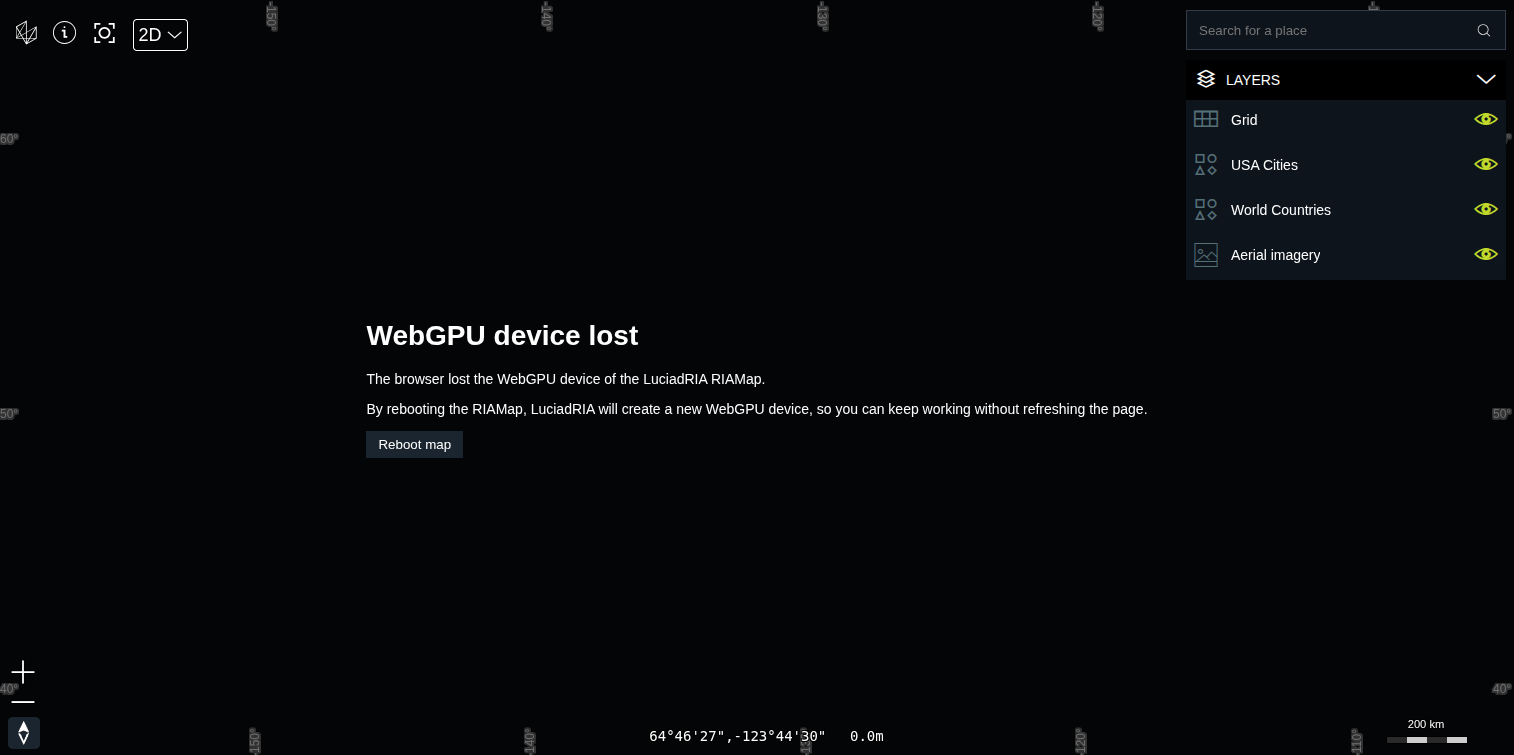
Instead of automatically rebooting the map, it may be better to inform users about the device loss.
You can provide them with an option to attempt a manual reboot by clicking a button or interacting with a UI element.
This approach gives users more control and allows them to decide whether to try rebooting the map or not.
In the LuciadRIA samples, we also use that approach.
You can find an example in samples/common/ui/overlay/WebGPUDeviceLostOverlay.tsx.
Limit automatic reboot attempts
In addition, you could implement a limited number of automatic reboot attempts with a delay between each attempt. This way, your application may recover after a few retries, if the issue causing the device loss is temporary. However, if the problem persists, the automatic reboot attempts will stop. You can then display an error message or a manual reboot option to the user.